oper8r Docs
Project Collaboration
oper8r includes a built-in project management system. Annotations let you attach actionable tasks, comments, and assignments to specific content within your sessions - whether that's a row in a spreadsheet or a text selection in a document.
Tasks and Deadlines
Overview
The annotation system is the backbone of RFP project management in oper8r. Every question in a spreadsheet and every section of a document can have tasks assigned, tracked, and completed - all without leaving the platform.
Folder-Level Task Management
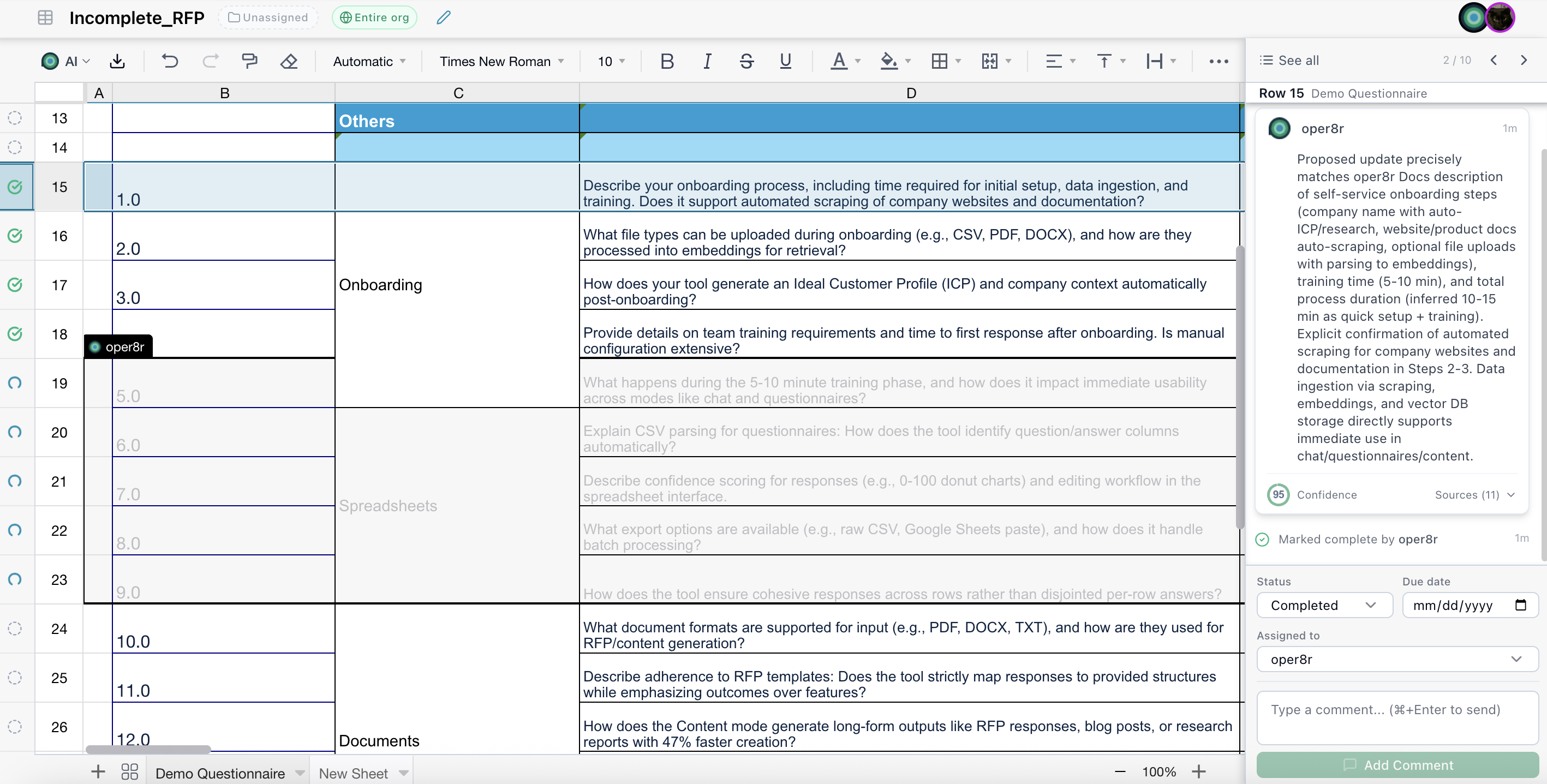
You can organize related spreadsheets and documents into folders to get a project-level view of all tasks and their statuses. Folders aggregate annotations from all documents within them, making it easy to track progress across an entire RFP project that may span multiple spreadsheets and documents.
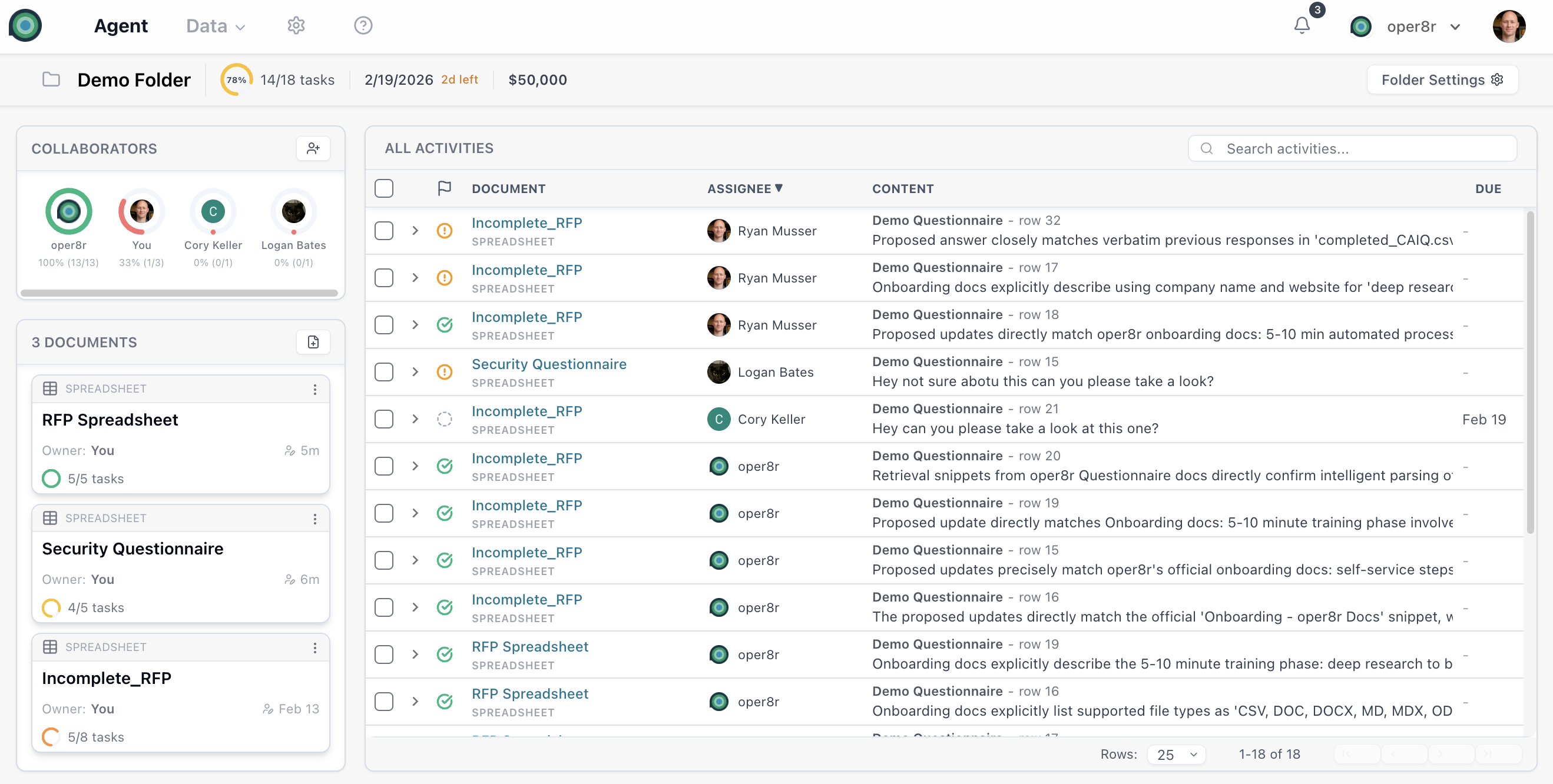
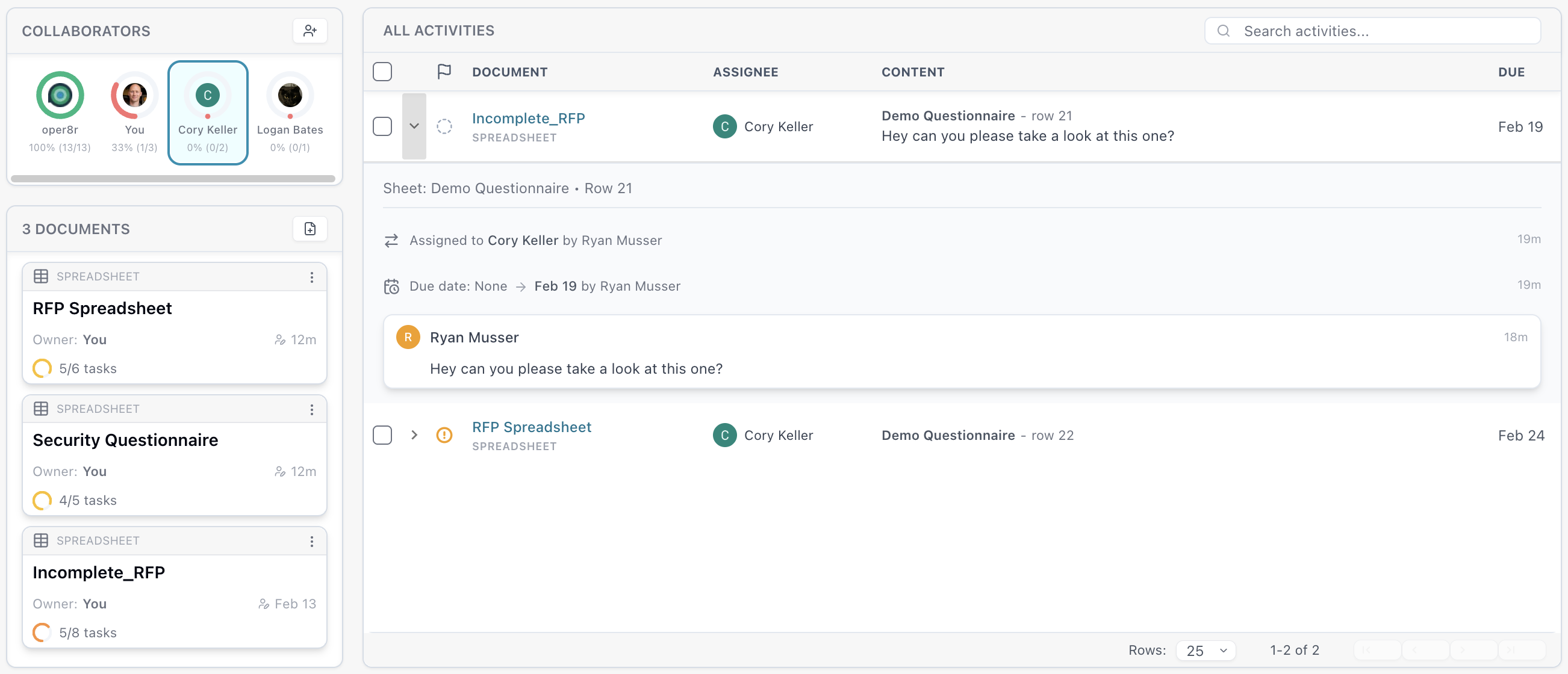
At the folder level view, you can sort and filter annotations by owner, status, document and more. You can also expand any row to view the history, or click the document link in the row to be brought to that specific annotation within the document.
Creating Annotations
In Spreadsheet Sessions
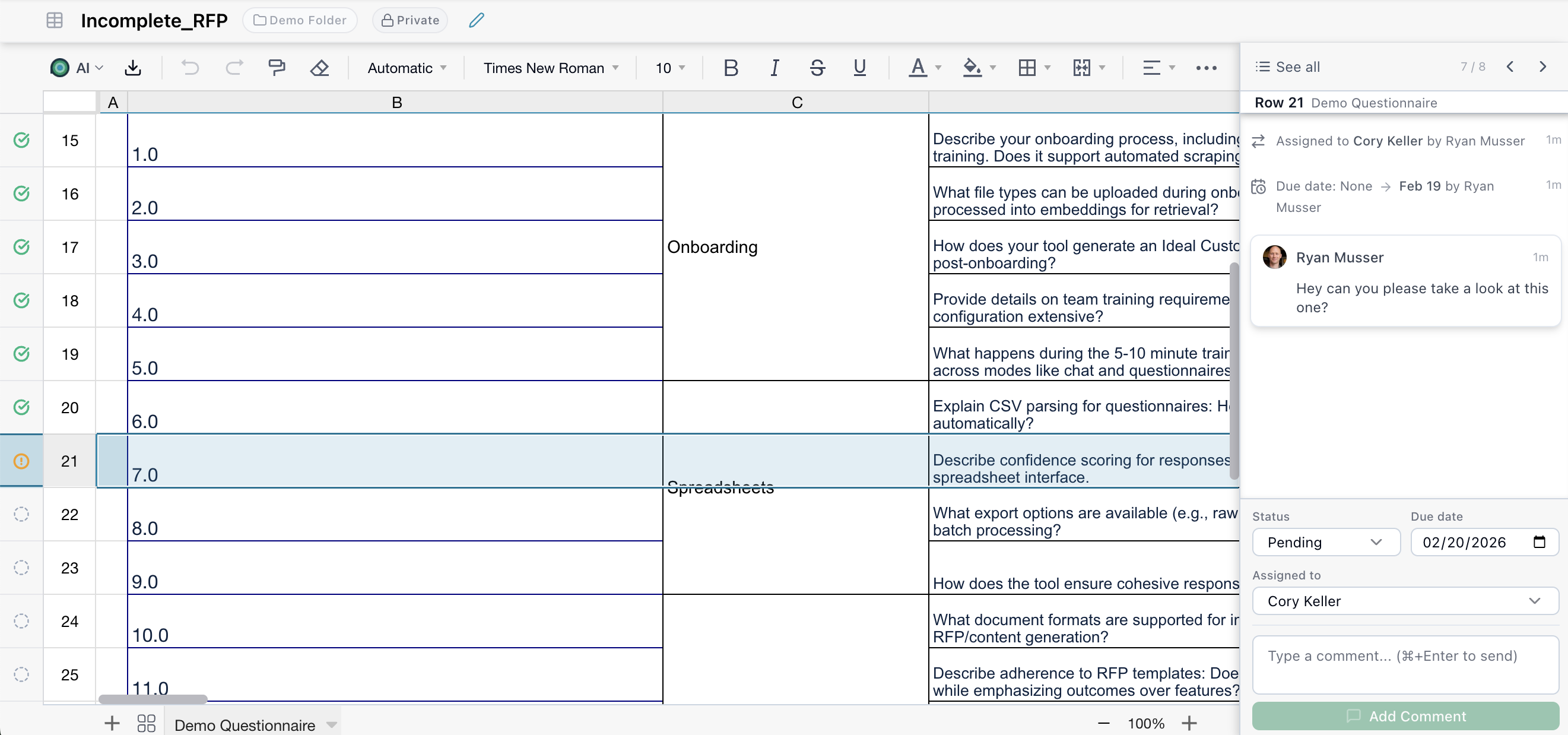
Select a row, and the annotation tray will open on the right side of the page, which will allow you to use the annotation controls to create a new task, comment, deadline or assignment.
In Document Sessions
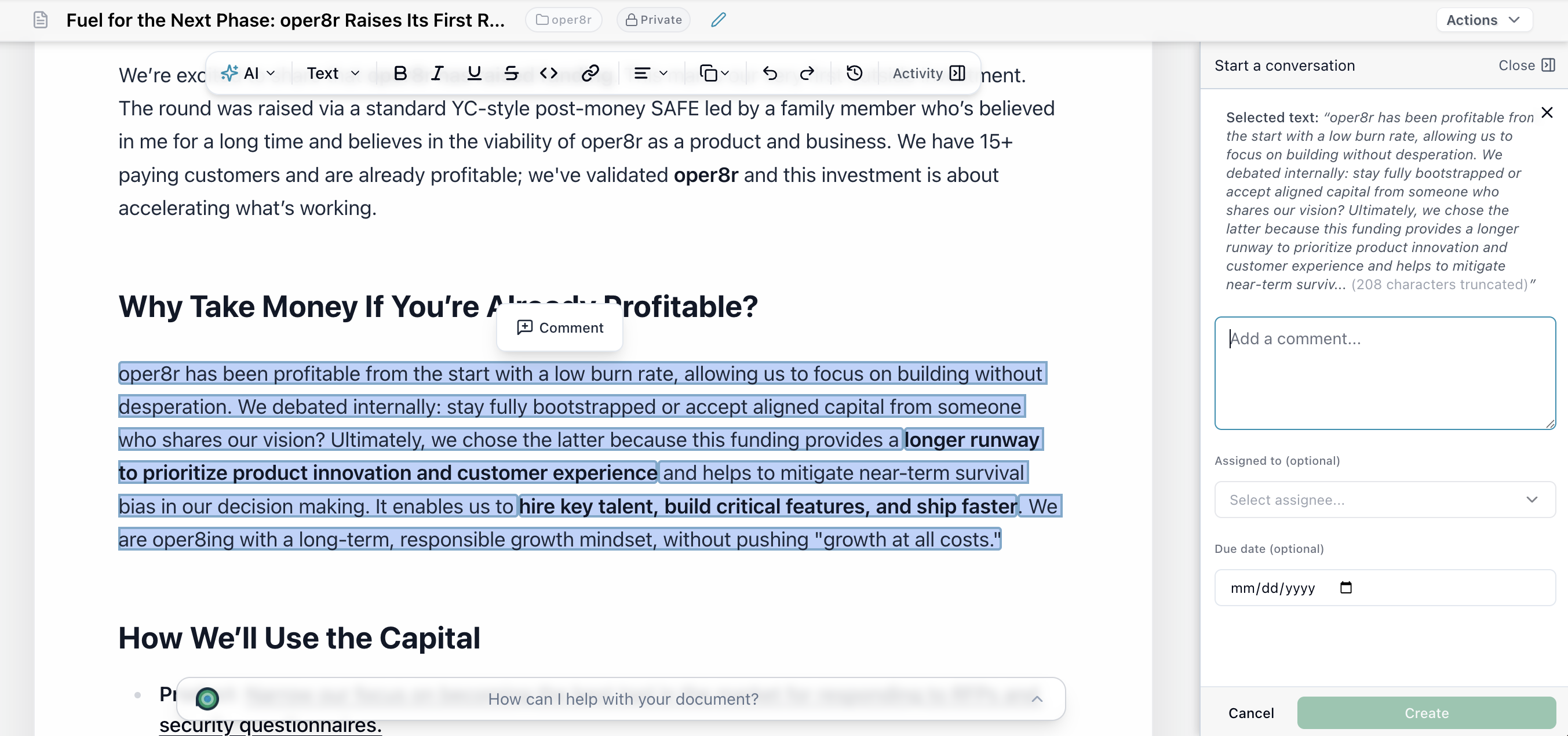
Highlight text in the editor to create an annotation linked to that specific text selection. This allows for precise, contextual feedback - reviewers can comment on exact passages and assign follow-up tasks.
Question & Section Assignment
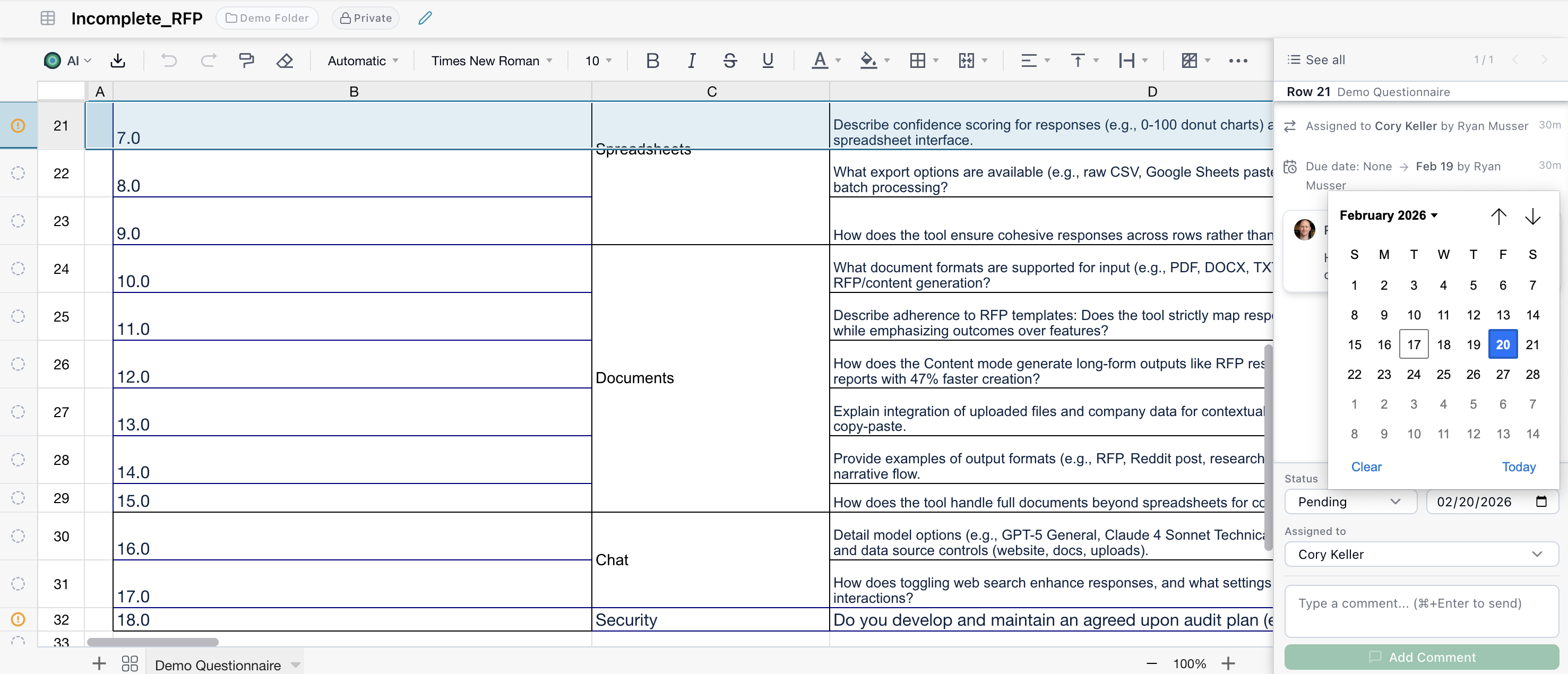
Assign specific questions or sections to designated team members - writers, subject matter experts, reviewers, or approvers. Each question in the system clearly shows its owner, so everyone knows who is responsible for what.
Status Workflow
Annotations follow a defined workflow that maps to a professional review and approval process:
| Status | Description |
|---|---|
| Pending | Newly created, not yet started |
| In Progress | Actively being worked on |
| In Review | Draft is complete, awaiting review or approval |
| Completed | Fully resolved and approved |
| Dismissed | Closed without completion |
This workflow supports quality checks - once an SME drafts an answer, it can be marked as "In Review" and assigned to a proposal manager or reviewer who must sign off before it's considered final.
Deadline Tracking & Reminders
Set due dates on any annotation to keep your team on schedule. oper8r sends automated email notifications as deadlines approach, ensuring nothing falls through the cracks on time-sensitive RFP responses.
Visual Progress Tracking
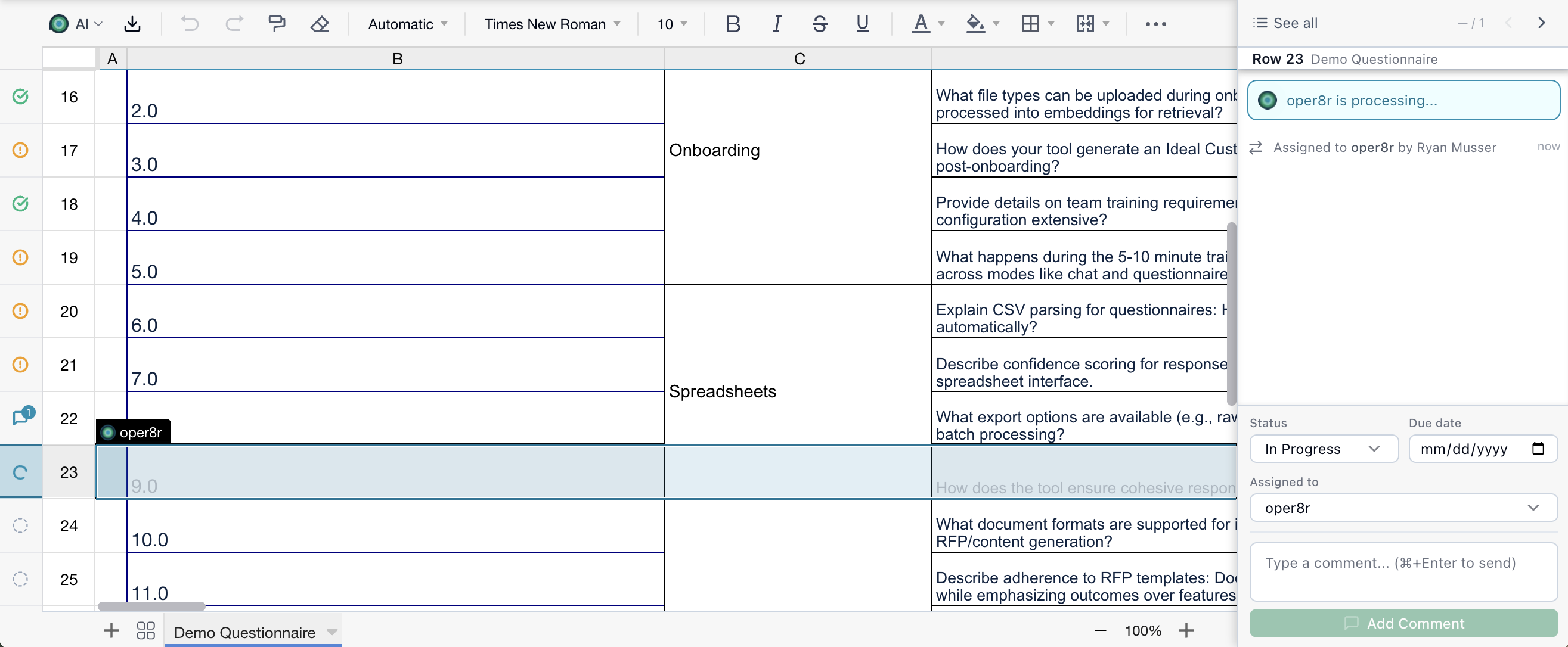
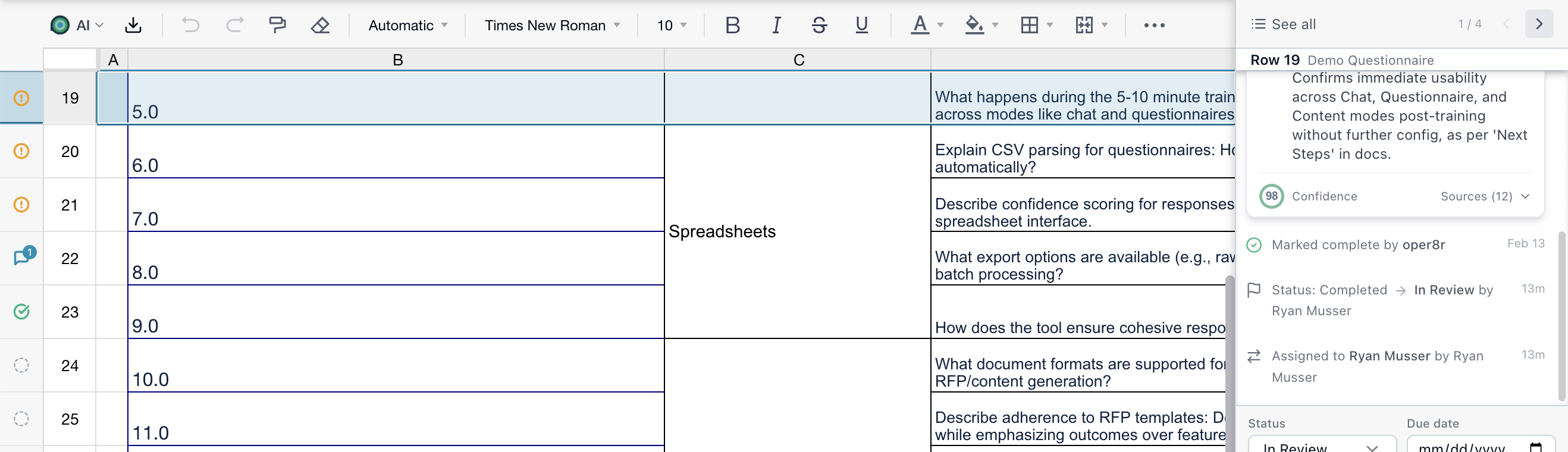
The rail on the left side of the spreadsheet grid gives you an at-a-glance view of your RFP's completion status. Managers can instantly see which questions are unanswered, in progress, or completed:
- Green check - completed
- Comment bubble - has comments or discussion
- Warning indicator - action required
- Spinning indicator - oper8r AI is generating a response
The Annotation Tray
Click on any annotation indicator to open the Item Annotation Tray - a side panel that provides full management of annotations. There is a List View where you can view and filter all annotations for the whole document, and you can view the Timeline View of an individual annotation.
List View
The list view to see all annotations for the current session at once, with filtering and sorting options:
- Filter by status - show only pending, in progress, in review, etc.
- Filter by assignee - see tasks assigned to a specific team member
- Sort - order annotations by various criteria
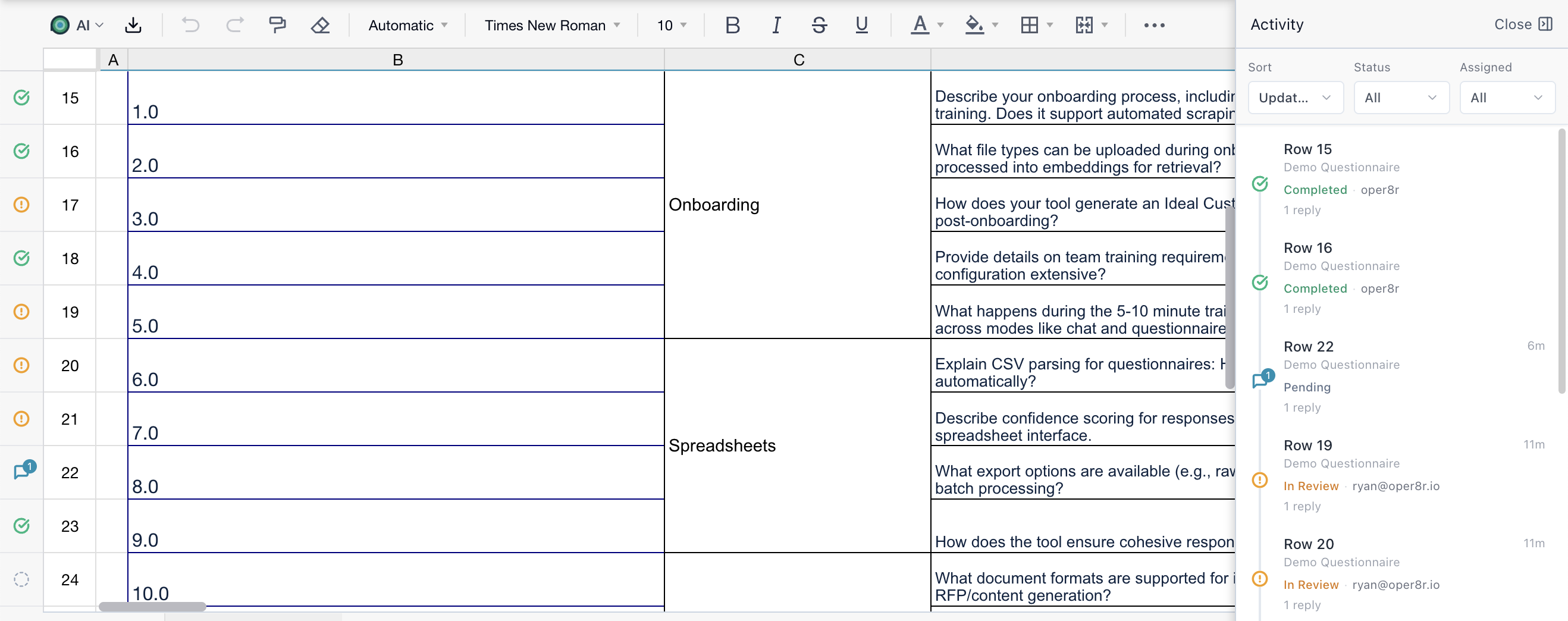
When you filter the list of annotations, you can click into any of those annotations and quickly iterate through that filtered list. For example, you can filter to all "In Review" and quickly skip to each of those specific entries.
Timeline View
The default view shows a chronological timeline of all activity on an annotation, providing a complete audit trail:
- Comments from team members and oper8r
- Status changes with timestamps and actors
- Assignment changes showing who reassigned and to whom
- AI responses when oper8r processes the annotation
- Due date changes tracked over time
Controls
From the tray you can:
- Change status - move through the workflow stages
- Reassign - transfer ownership to another team member or oper8r
- Set due date - add or modify the deadline
- Add comments - leave feedback, instructions, or questions
- Navigate - use arrow controls to browse between annotations
Collaborating with oper8r
Assigning to oper8r AI
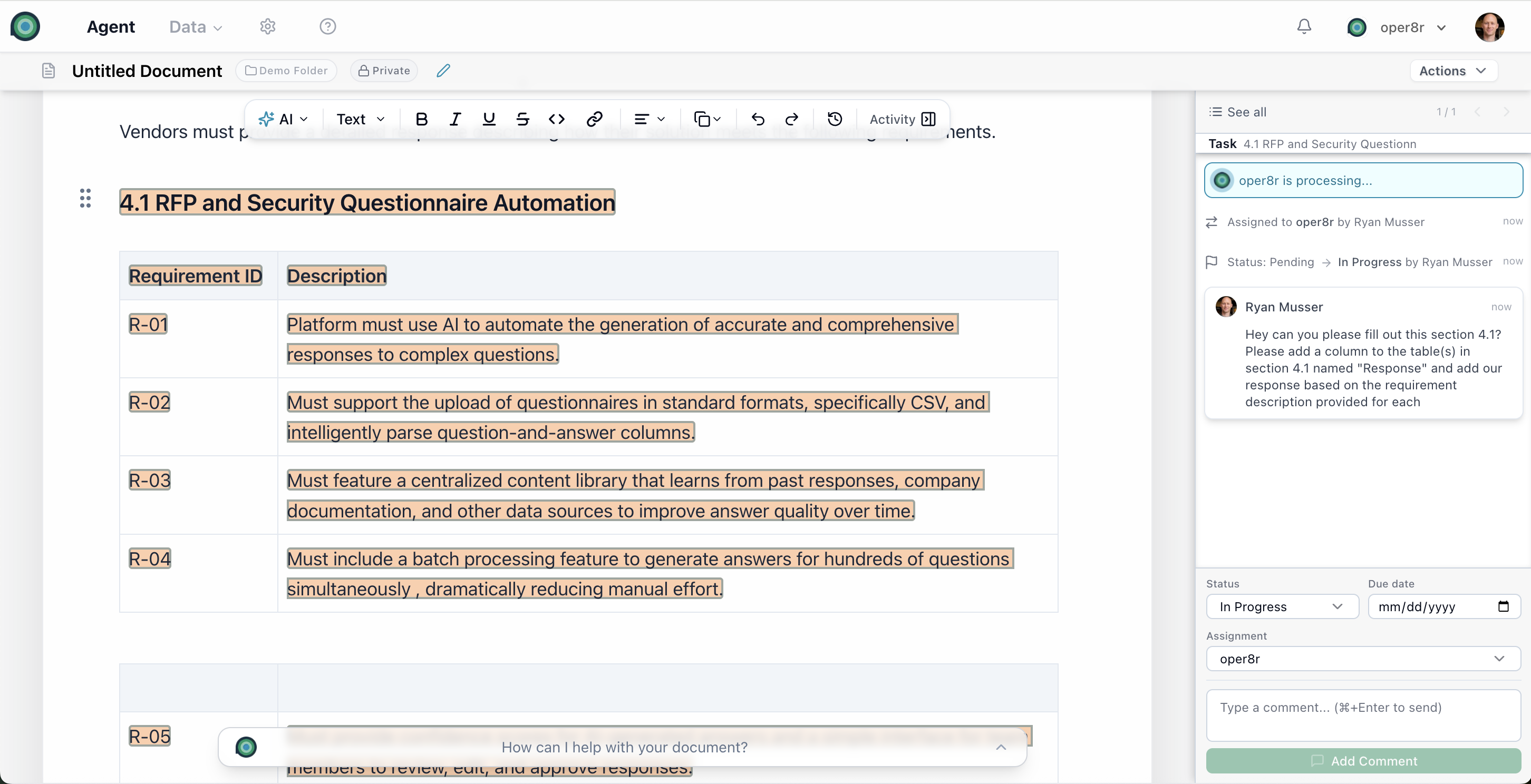
Any annotation can be assigned to oper8r AI for automated processing. When assigned to oper8r, the status automatically sets to "In Progress" and oper8r begins working on the task.
AI Responses in Context
When oper8r processes an annotation, it analyzes the associated content - the row data in spreadsheets or the selected text in documents - along with any comments or instructions in the annotation thread. Its response is logged directly in the annotation timeline, keeping everything in context.
Content Modification Proposals (Documents)
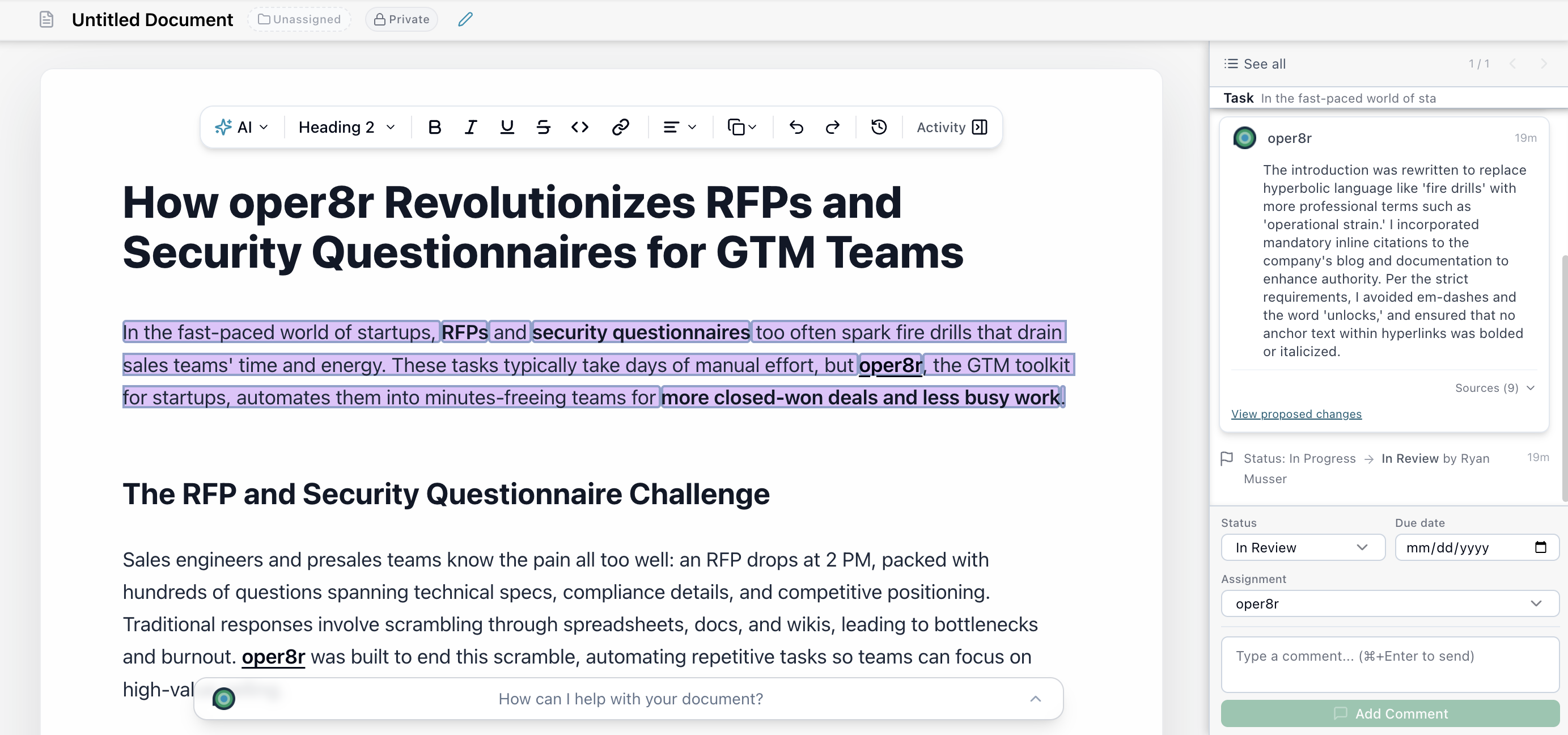
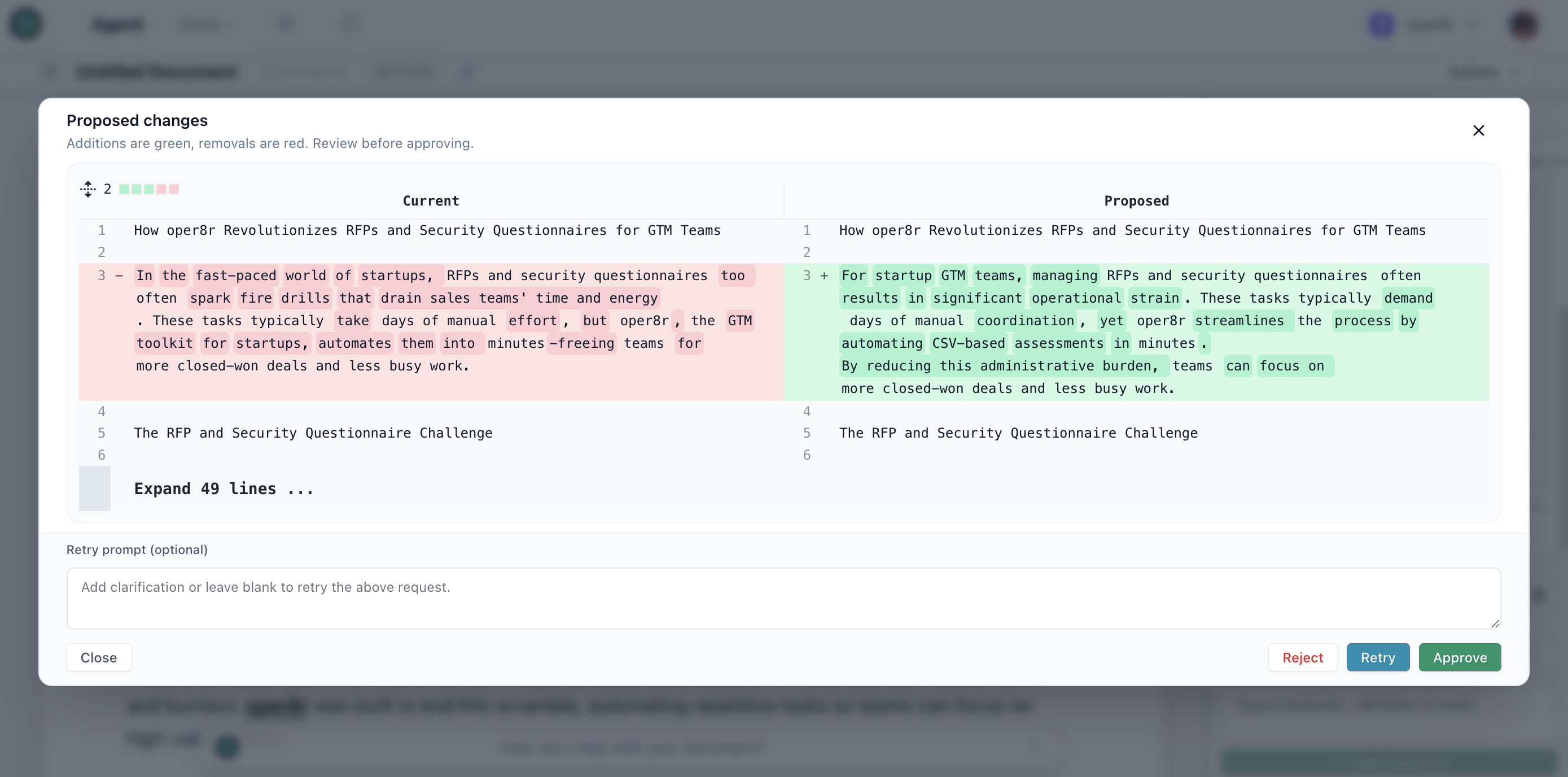
In document sessions, when oper8r processes an annotation, it can propose text changes shown as a visual diff. You review the proposed changes in a side-by-side comparison and can accept or reject them - maintaining full control over the final content.
Batch Assignment (Spreadsheets)
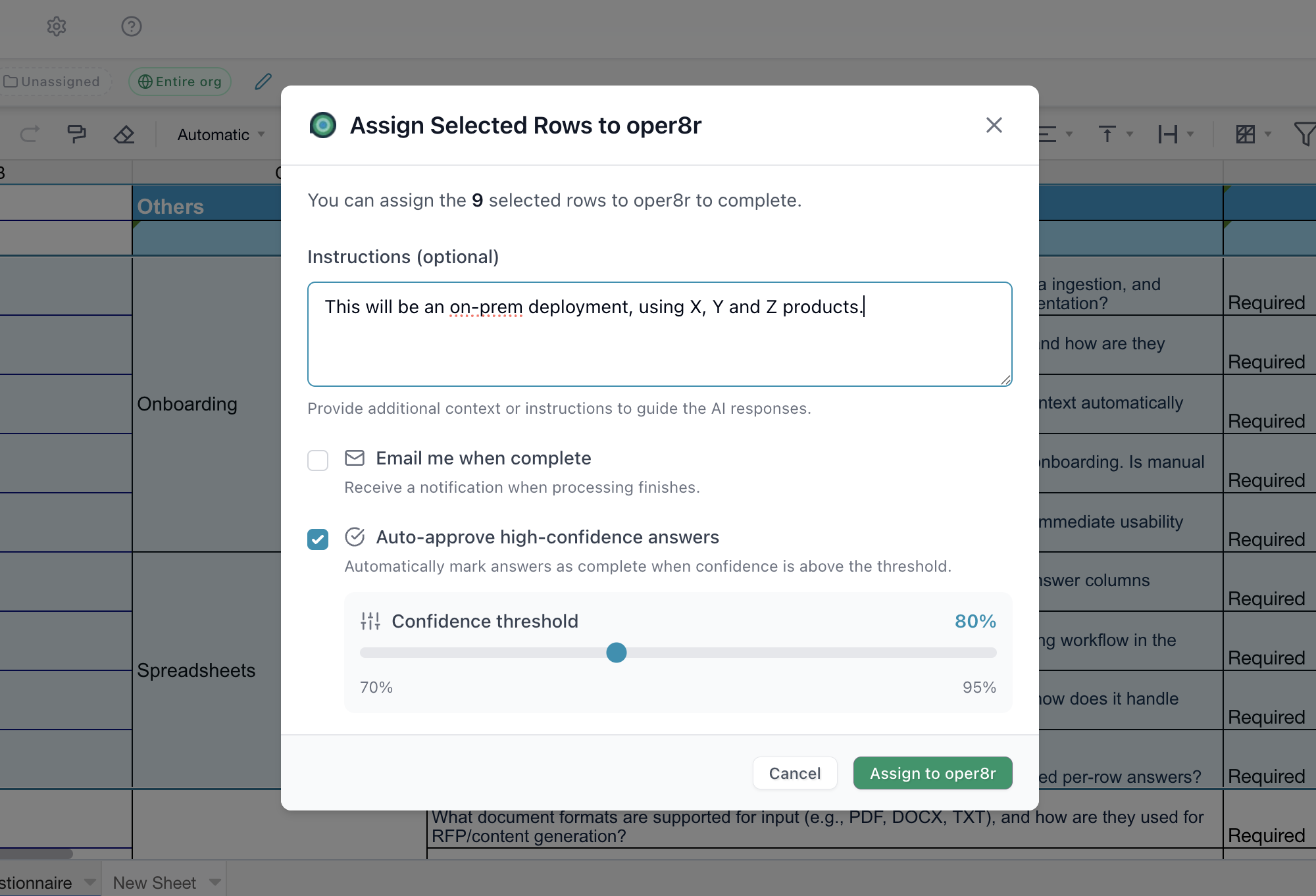
Select multiple rows in a spreadsheet and assign them all to oper8r at once.
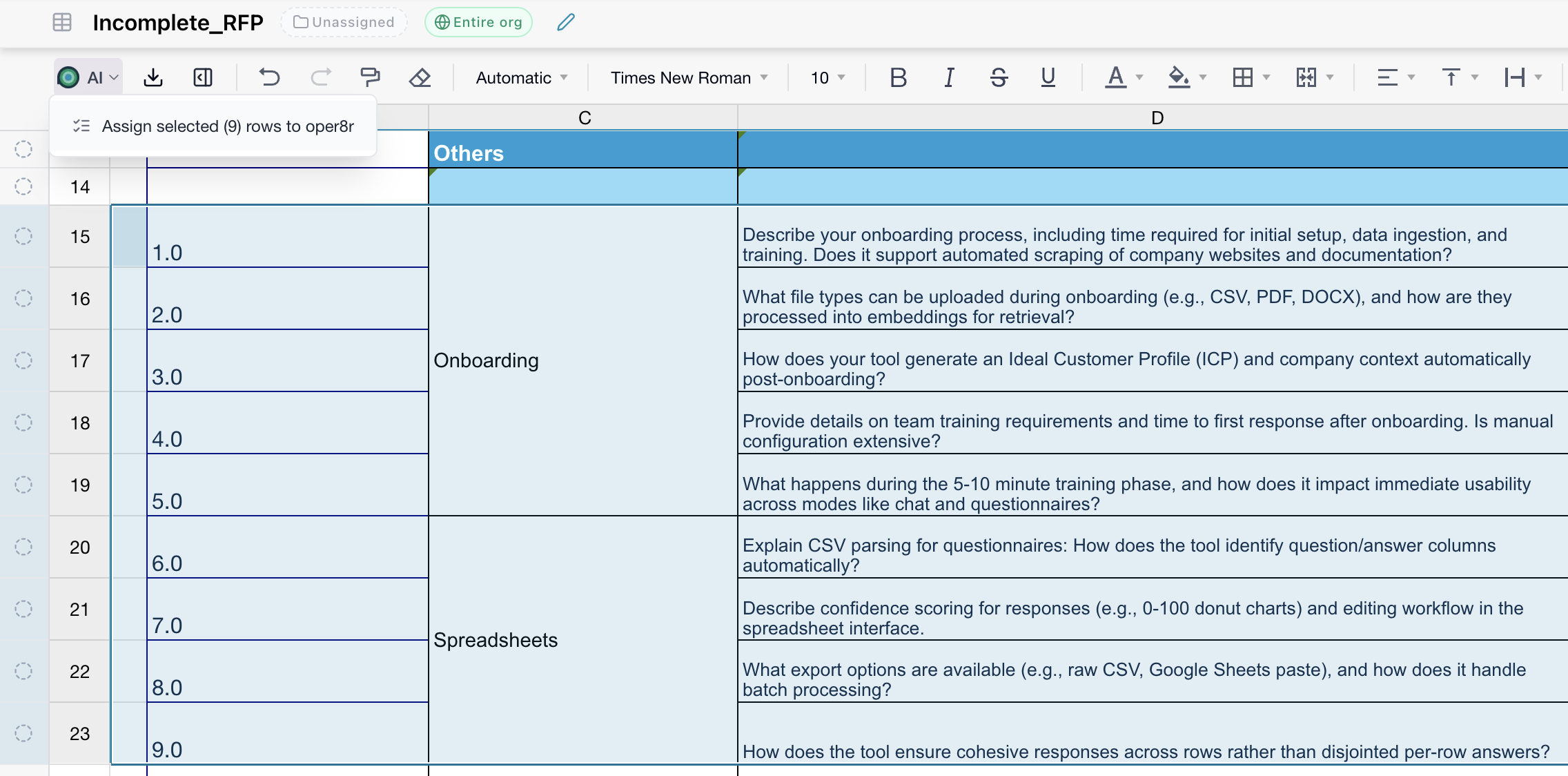
You can provide custom instructions for the batch to guide how oper8r should approach the responses.
Processing Indicators
When oper8r is actively working on an annotation, a processing banner appears in the tray so you know work is in progress.
Real-Time Collaboration
Co-Authoring
Multiple team members can work on the same spreadsheet or document simultaneously. Changes are synced instantly - when one person edits a cell or adds a paragraph, everyone sees the update in real time.
Single-Version Repository
All proposal content lives in one place with controlled access. Team members aren't sending Word docs or spreadsheets around via email, which eliminates the confusion of multiple versions. Everyone works off the same live document, and the platform maintains full history.
In-Platform Commenting & Annotation
Highlight text or select rows and leave comments, questions, or suggestions right there in context. No need to switch to email or a separate tool - all discussion happens alongside the content it references.
Audit Trail
Every action on every annotation is recorded chronologically:
- Who created it and when
- Every comment, status change, and reassignment
- AI responses and processing events
- Due date modifications
This provides complete accountability and traceability for compliance-sensitive RFP processes.
Just want to talk it out?
We'd be happy to help you get started. The best starting point is usually a live RFP, security questionnaire, or knowledge base that already costs the team time to search, verify, and reuse.